RECORD
Open straight to camera
No project form before the first shot. Starting a recording creates the local project for you.
QShot — Live Tagging Camera for iPhone
QShot is a tag-driven camera and video editor for iPhone. Mark important moments while recording, review the clips that matter, shape the timeline, and export or distribute the finished reel.
 QShot
QSHOT FOR IPHONE
QShot
QSHOT FOR IPHONE
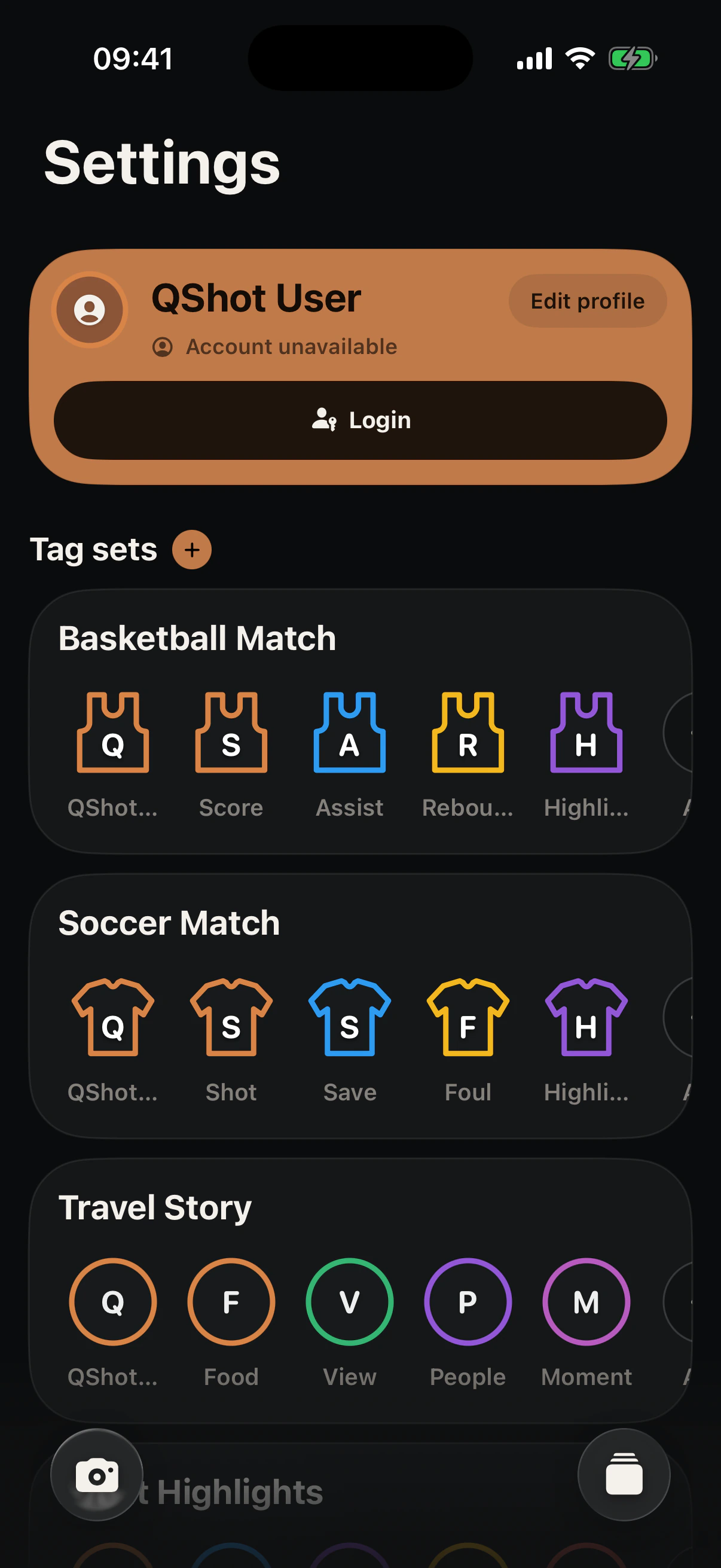
01 Actual app UI · Matches the selected language
02 / FIELD WORKFLOW
QShot replaces the first footage hunt with three deliberate actions. Nothing asks you to look away from the moment.
RECORD
No project form before the first shot. Starting a recording creates the local project for you.
TAG
Large controls confirm visually and with haptics. Choose continuous tagging or tag-and-stop behavior.
REVIEW
Choose what stays, adjust clip ranges and order, then export the timeline you made.
03 / CAPTURE SURFACE
Reusable Tag Sets keep the right people and moments within reach. Choose a set style, tag names, images, border colors, order, secondary tags, and the temporary lineup for each shoot.
Create distinct sets for sports, work, travel, events, performances, or any filming workflow, then adapt the active tags before each recording.
Every marker confirms visually and with haptics, even when your attention stays on the action.
Core recording and tagging work locally. Sign-in is for optional connected features.

INTERACTIVE PRODUCT MODEL · TAP A TAG
04 / BUILT-IN EDITOR
Markers become clip ranges in the editor. Trim, reorder and layer the selected moments before exporting a finished video.
UI MODELLED ON THE CURRENT IOS EDITOR · CLIP COLORS FOLLOW TAGS
05 / EXPORT
Render the timeline you assembled, then save it to Photos or hand it to another app through the iOS share sheet.
Render the selected timeline in MP4 or MOV, with destination-aware handling for Apple and other devices.
Keep the finished video in Photos, or pass the exported file to another app using the standard share sheet.
06 / MADE FOR ONE OPERATOR
Designed for people filming alone—from games and training to travel, events and Vlogs—where every extra setup step means looking away.
07 / QSHOT AT A GLANCE
A concise reference for what QShot does, who it is for, and how its capture-first workflow works on iPhone.
08 / FAQ / FIELD NOTES
Straight answers about capture, tags, editing, connected features, privacy, and export.
QShot is a tag-driven camera and video editor for iPhone, built for anyone who needs to capture a moment and finish the edit without losing track of what mattered.
QShot saves the tag and its exact time in the recording. After the shoot, those markers help you jump to important moments and form clip ranges for review and editing.
Yes. Choose a Tag Set style, then customize tag names, images, border colors, order, secondary tags, and the active lineup used for a shoot.
No. QShot narrows the search with the tags you add, but you decide which clips stay, how they are ordered, and what gets exported or distributed.
No. Core capture, tagging, review, editing, and export work without an account. In the Global edition, sign-in enables cloud sync, Groups, friends, inbox, and distribution. Ordinary sync does not upload original recordings.
Render the timeline you assembled as MP4 or MOV, then save it to Photos or send it to another app with the iOS share sheet.
Yes. Tag Sets can support sports, training, travel, events, performances, work, education, interviews, Vlogs, and other recording workflows.
QShot is currently available as an iPhone TestFlight beta. Use the beta form on this page to request an invitation.
QSHOT FOR IOS · BETA
Join the TestFlight beta to test capture, Tag Sets, the built-in editor and export in real shoots.
IPHONE BETA · LOCAL-FIRST MEDIA · NO AD TRACKING